
Smart Home System
From Devices to a System
Building a smart home system that is reliable, locally controlled, and not dependent on a single ecosystem.
Context
I have been using smart home devices for a few years, starting with smaller brands and eventually moving into the Aqara ecosystem. The setup worked well enough at the beginning. Basic automations such as turning lights on and off, or triggering air conditioning remotely, were functional and occasionally useful.
However, over time, the limitations became more visible. The entire system relied heavily on cloud connectivity. When the internet connection was unstable, or when I had to rely on VPN access, the system became unreliable. Simple actions such as switching a light on or off would be delayed, and sometimes would not execute at all.
At that point, the system stopped feeling “smart.” It became unpredictable, and therefore less useful.
The Trigger
Despite the issues, there was one feature that stayed with me.
When I was approaching home — roughly within one kilometer — the air conditioning would turn on automatically. By the time I arrived, the environment was already comfortable.
That experience felt natural. It was not about control or features, but about the system working quietly in the background.
The value of a smart home is not in the devices, but in the system behaving reliably without attention.
The Shift in Approach
The problem was not the idea of smart home automation. The problem was the architecture.
The previous setup depended on:
- cloud-based control
- vendor-locked ecosystem
- limited visibility into system behavior
To solve this, I decided to rebuild the system around local control, using Home Assistant as the central platform.
This shift was not about adding more devices. It was about establishing a system that I could understand, control, and maintain over time.
System Architecture
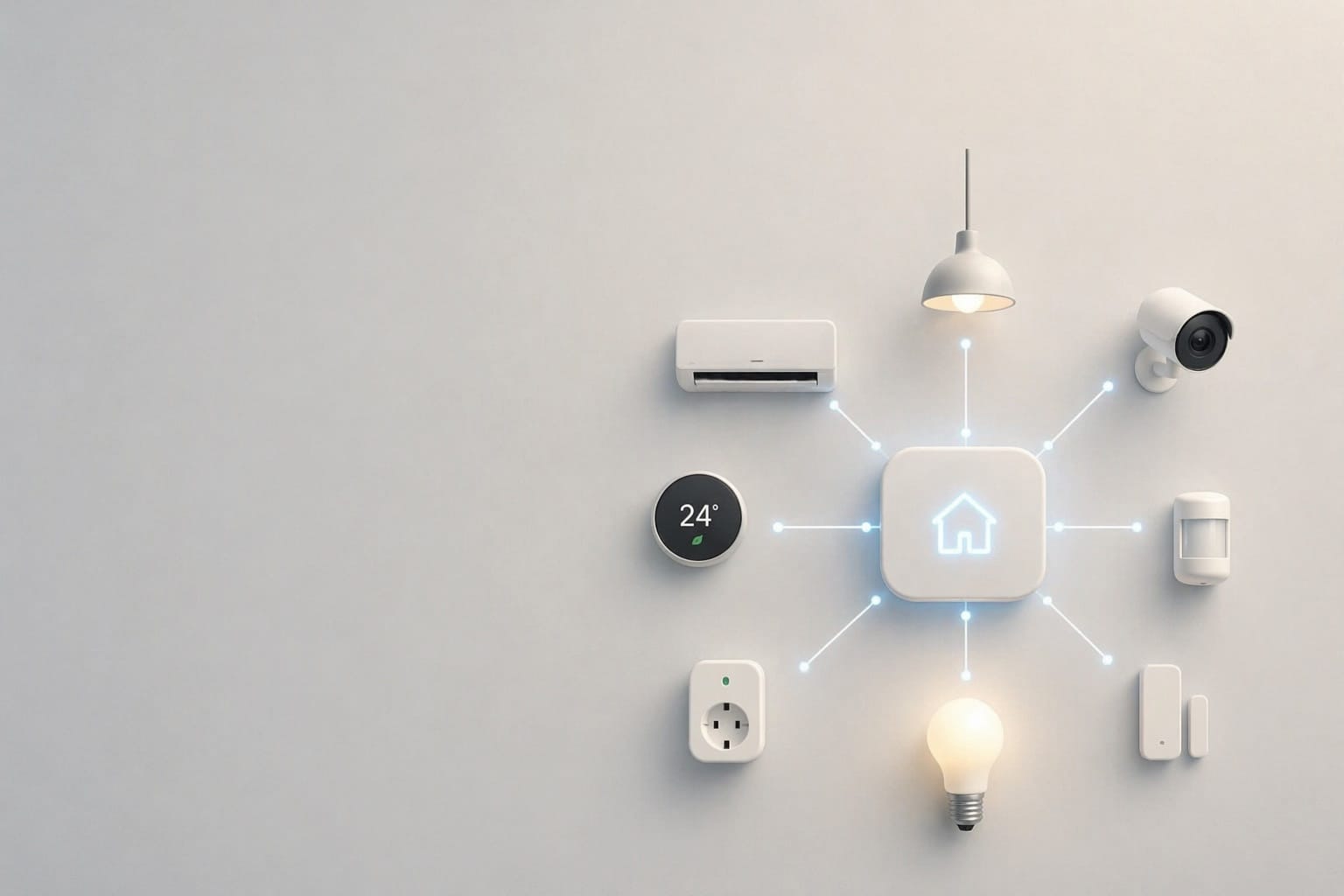
The system is designed around a centralized control model:
User (Mobile / Voice)
        ↓
Home Assistant (Local Server)
        ↓
Zigbee / IR / WiFi Devices
        ↓
Physical Devices
All automation logic and device communication are routed through Home Assistant, reducing dependency on external cloud services.
Core System
Server
- Beelink Mini PC (Home Assistant server)
Network
- ASUS R7000 (Nighthawk AC1900)
Zigbee System
Coordinator
- Sonoff Zigbee 3.0 USB Dongle Plus (ZBDongle-P)
Devices
- Door Sensor — Sonoff SNZB-04P
- Motion Sensor — Sonoff SNZB-03P
- Button — Sonoff SNZB-01
IR Control System
- Broadlink RM4 Pro (IR + RF control)
Used for:
- Mitsubishi Mr. Slim air conditioner
- LED lighting (IR remote)
Smart Devices
- Samsung Smart TV (55")
CCTV System (Planned / Partial)
- Reolink PoE Video Doorbell
- Reolink RLC-324 (P324) Camera
Software Stack
- Home Assistant
Integrations
- Zigbee Home Automation (ZHA)
- Broadlink
- Samsung TV
- HomeKit Bridge
- Plex (partial)
IR Devices (Broadlink)
- Device: Broadlink RM series (IR blaster)
- Purpose: Control non-smart devices such as:
- air conditioners
- televisions
Limitations:
- no state feedback
- requires manual command learning
WiFi / LAN Devices
- Smart TV (Samsung integration)
- Future: CCTV (PoE-based system)
Setup Process
The system was built in stages rather than all at once.
Phase 1 — Core Setup
- Install Home Assistant on the mini PC
- Configure local access
- Verify stability of the base system
Phase 2 — Zigbee Integration
- Install Zigbee dongle
- Pair sensors and switches
- Test responsiveness and reliability
Zigbee devices performed consistently and became the most stable part of the system.
Phase 3 — IR Integration (Broadlink)
- Add Broadlink integration
- Manually learn commands for AC and TV
- Create scripts for control
Issues encountered:
- no automatic device detection
- no state tracking (on/off status unknown)
- reliance on manual scripting
Phase 4 — Dashboard and Control
- Build UI within Home Assistant
- Create simple control buttons
- Avoid YAML complexity in early stages
Focus was placed on usability rather than optimization.
Phase 5 — Device Integration
- Integrate Samsung TV
- Test basic control functions
- Evaluate limitations (e.g., wake behavior, responsiveness)
Challenges
1. Device Sourcing
There is no unified marketplace for compatible devices.
Devices had to be:
- ordered from different countries (China, Thailand, UK)
- tested individually
- validated for compatibility
This significantly slowed down progress.
2. System Fragmentation
Different protocols and vendors introduced inconsistency:
- Zigbee → stable
- IR → limited and stateless
- WiFi → dependent on integration quality
3. Learning Curve
- Home Assistant interface complexity
- integration behavior not always intuitive
- documentation varies across devices
Current State
The system is partially operational.
- Core Home Assistant setup is stable
- Zigbee devices are reliable
- IR control is functional but limited
- overall system direction is clearer
However, the system is not yet complete.
Future Direction
The goal is to expand this system across the entire house.
Planned improvements include:
- replacing IR-controlled AC with native smart AC
- deploying PoE-based CCTV system (Reolink or equivalent)
- integrating doorbell system
- implementing voice control and audio system
- expanding automation logic across rooms
This will move the system from a test setup into a full home infrastructure.
Reflection
This project is no longer about experimenting with smart devices.
It has become a process of building a system that I can:
- understand
- maintain
- rebuild if necessary
Previously, I built similar setups and lost track of the details over time.
This time, the objective is different.
The system must not only work — it must be something I can return to and continue building on.
Update Log
Update — Initial Draft
- Core system installed
- Zigbee stable
- IR partially working
- Planning full-house expansion
(Future updates will be appended here)